tifftiff-dataviz-portfolio
| home page | data viz examples | Are Cats Lazy? | final project I | final project II | final project III |
These portfolio templates are for setting up your Telling Stories with Data site. Edit these pages and add new ones as needed. It’s always helpful to keep track of your web URL. Consider putting that somewhere on your page for easy reference:
- Web page URL: https://cmustudent.github.io/tswd-portfolio-templates/
- This repository: https://github.com/cmustudent/tswd-portfolio-templates/
Portfolio
This is my public portfolio for Telling Stories with Data at CMU! Here’s where all my cool work will go. You should totally~~~ hire me… no seriously. Check me out!
About me
Hi! I really like numbers. Numbers are cool. If I’m not looking at numbers, I lion dance. If I’m not doing either, I’m in a soft blanket watching whatever is on YouTube. If I’m not doing those three then I am staring at the ceiling, contemplating the world as we know it.
More professional sounding bio: Hi! I’m Tiffany Lu, and I’m a first year Master in Entertainment Industry Management student at Carnegie Mellon University. I have previous experience in performing arts management, video editing, and a weeeeee bit of finance.
What I hope to learn
- Something! I have no expectations. I saw the name of the class and was like “ooo fancy”
- Create better data visualizations.
- I want to learn what my peers do!
Portfolio
Woah, my portfolio is gonna be super cool when this is all said and done!
Visualizing Government Debt
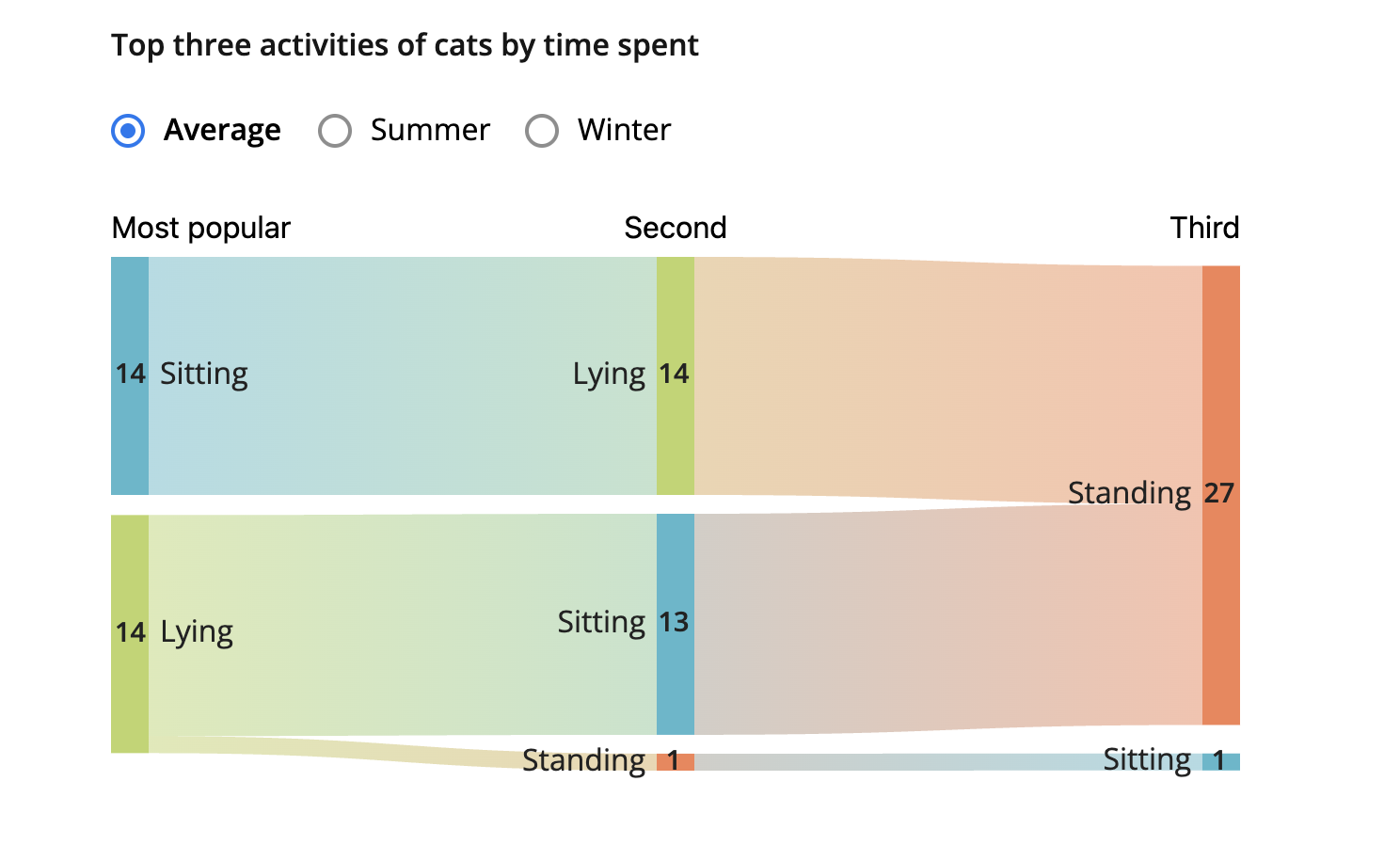
Are Cats Lazy?
Final project
Guys these projects are pretty cool. Part I Part II Part III(final-project-part-three)
Other stuff that Tiff is keeping for her own reference and cause she is constantly confused about something.
Changing text
You can change text, like this:
Here’s some bold ooooo text. Here’s some italic spicy text. Here’s some strikethrough oops text.
Creating tables
You can build tables like this:
| Name | Type of pet | Favority activity 1 | FA 2 | FA 3 | FA 4 |
|---|---|---|---|---|---|
| In the Hat | cat | Sleeping | Eating | Being pet | Plotting to overthow dog empire |
| Clifford | dog | You | You | You | Eating |
| Dory | fish | Swimming | Eating | Blowing bubbles | Forgetting |
An easy-to-use template generator tool can be found here
You can use different headings, like this:
Here’s a large title WOAH (H1)
Here’s a subtitle Cute (H2)
…and so on hehe I’m kinda small (H3)
You get the idea - just don’t forget the space between the # and your title. #Title won’t work, but # Title will.
Adding images
Here’s an example of how to add an image to my portfolio.

Photo by charlesdeluvio on Unsplash
Alternately, you can set the size of the image using just a bit of HTML:
Remember that you’ll need to upload the image into your repository, or include a link to the image somewhere else.
Setting up a separate page
So here’s the code you’ll need to add to your own site to create a second page.
- First, create a new page in your repository (for example, dataviz1.md)
- Next, add a link to that page by inserting the following into your readme.md page:
[title](dataviz) or [dataviz](https://cmustudent.github.io/portfolio/dataviz.html) or [CMU](https://www.cmu.edu)
Any of those formats will work. Here’s some examples of working links:
[title](dataviz) = title
[dataviz](https://cmustudent.github.io/portfolio/dataviz.html) = dataviz
[CMU](https://www.cmu.edu) = CMU
Make sure to check these from your publicly accessible URL to make sure they’re working correctly (not from the preview tab).
Looking for more? A nice Markdown guide can be found here
References
List any references you used here.
AI acknowledgements
If you used AI to help you complete this assignment (within the parameters of the instruction and course guidelines), detail your use of AI for this assignment here.
HI!